Project Goals and Intro
Super Mario Bros. 3 Recreation was a semester-long group project for CSE 3902, an Ohio State game development course focused on collaboration, quick learning, and using good software design practices. Our team of four set out to rebuild one of the most beloved platformers on the Nintendo Entertainment System from scratch, using MonoGame and C# rather than a fully-featured engine like Unity.
The goal was twofold: recreate the look, feel, and core mechanics of the original game’s first level as faithfully as we could, and leave room to add our own ideas on top of that foundation. Unfortunately course policies require that the GitHub repository stays private, but I’ll use this page to discuss the game programming, system design, collaboration, and software design patterns that went into its creation.
Learning MonoGame
Before this project, most of my game development experience came from Unity, where a lot of the rendering and content pipeline is handled for you. MonoGame stripped that away, so we had to think explicitly about the game loop, sprite batching, asset loading, and how every frame gets drawn to the screen.
That lower-level perspective was exactly what I wanted from the class. Building a Mario game without editor tooling forced us to understand how sprites, tile maps, and game states actually connect in code. Early milestones like loading a level, and seeing Mario move across the screen felt much more earned than dropping a prefab into a scene.
By the time we had power-ups, enemies, and interactable blocks running together, the project had grown into a real snapshot of what you can do when you commit to building systems yourself rather than leaning on engine abstractions.
Working As A Team, Drawing and Animating
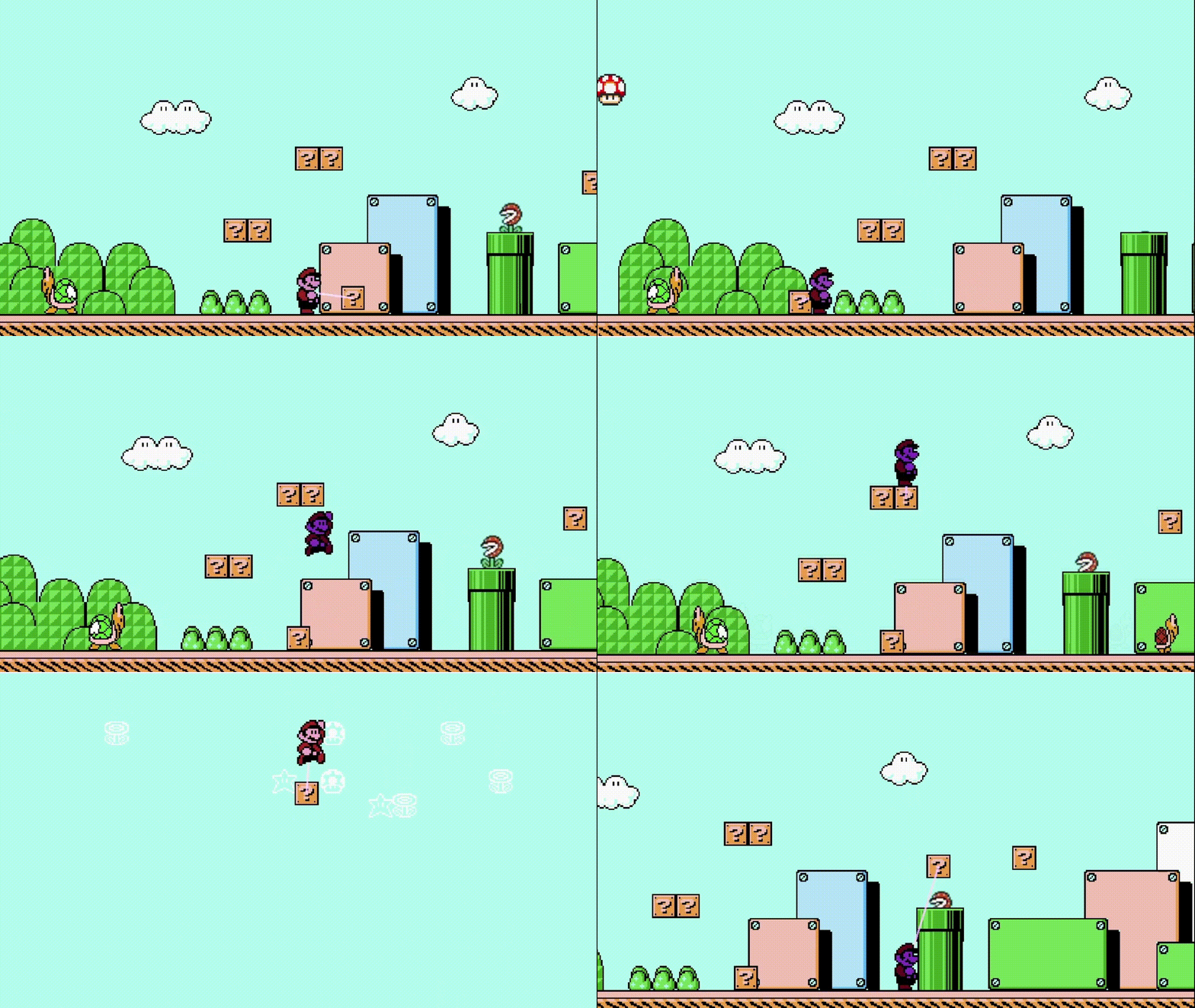
Faithful recreation only works if the art and animation feel right, and that meant the whole team had to collaborate closely on visuals as well as code. We referenced the original game constantly, breaking down how Mario’s jump arc should look, how enemies should patrol, and how pipes, blocks, and background elements should sit together on screen.
We split responsibilities across the team while still checking in often enough to keep the game’s tone consistent. Some teammates focused on sprite work and animation timing, while others handled level layout and gameplay systems. My work leaned toward implementation, but staying aligned on how things should look and move was just as important as getting the logic working.
The result is a world that reads immediately as Mario, from the clouds and ground tiles to the enemy sprites and level props, even though every asset and animation in the project was rebuilt for our engine rather than imported from the original.
Basic Gameplay Logic
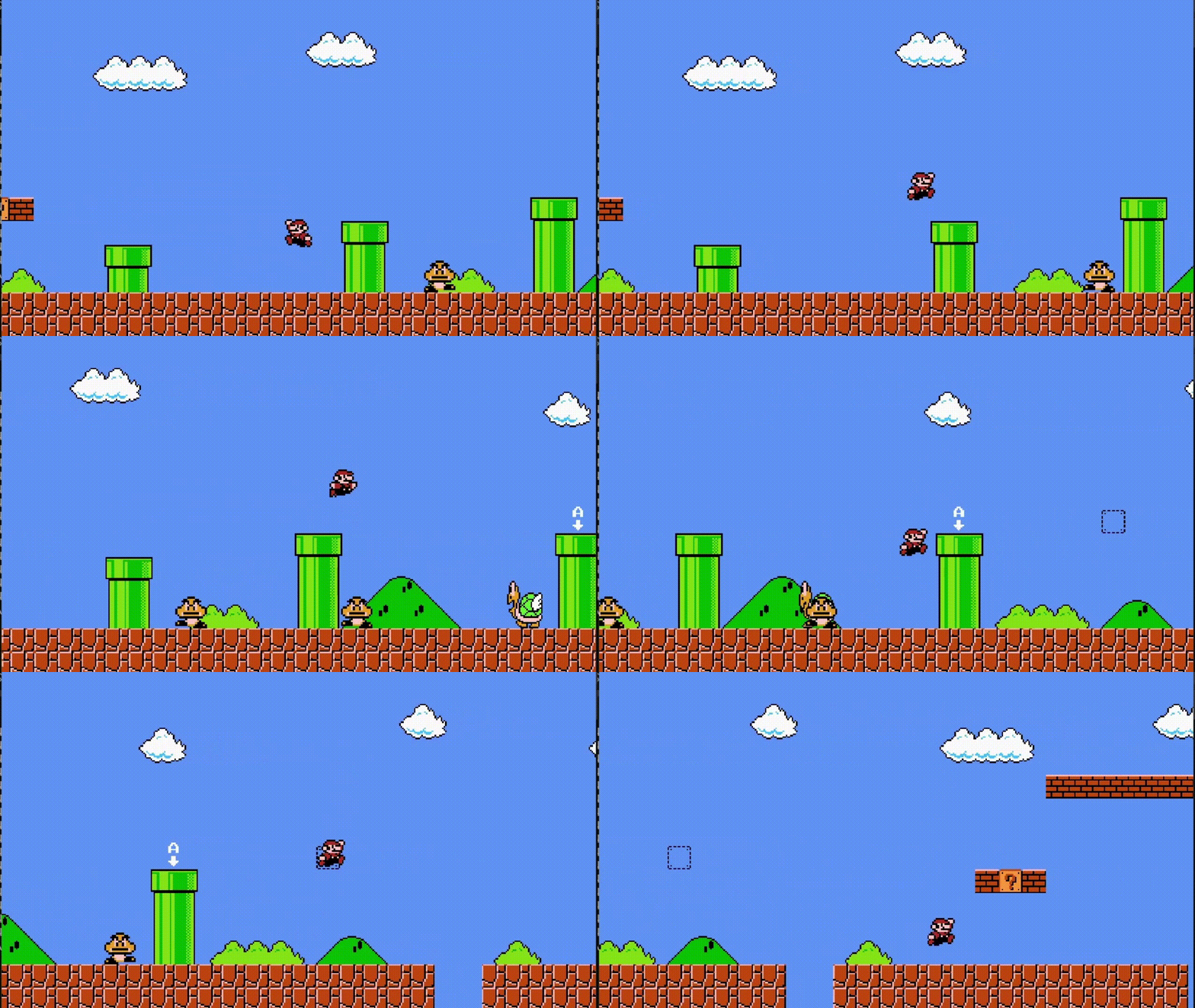
Most of my direct contributions were on the gameplay side: player movement, collision, enemy behavior, and level implementation. Getting Mario to feel good to control meant tuning acceleration, jump height, gravity, and ground detection until movement matched the snappy responsiveness of the NES original. Building a 2D platformer’s physics seems basic when compared to something like Unity’s physics engine, but building it from scratch gave me a better understanding of how games in this genre work.
Collision was one of the harder systems to get right. Blocks, pipes, enemies, and the player all needed distinct interaction rules, and small bugs showed up constantly until the logic was tight enough to trust during level testing. Enemy behavior added another layer: Goombas, Koopa Troopas, and Piranha Plants each needed their own movement and reaction patterns to feel authentic.
Next Steps: Object Interactions
Even with core movement and enemies in place, a Mario recreation is really defined by its object interactions. Question blocks, power-ups, pipes, stomp logic, and all the small rules that make the world feel alive. That is where much of the remaining work is focused.
A lot of the later development was focused on player interactions with blocks and items, refining enemy-state transitions like shell kicks and pipe exits, and polishing the systems that make the level work like in the original. The foundation is solid, but the last mile of interaction detail is what made the project feel complete.
This class changed how I think about game systems. Building a familiar game from the ground up makes every design decision visible, and it gave me a much stronger base for future engine-level work outside the course.
Additionally, this class gave me far more knowledge on the real software development progress, particularly in terms of collaboration and design patterns. Learning to work with others in Git and outline responsibilities in sprints gave me a glimpse of what collaborating with a professional software team looks like, and proved invaluable going into my first work in the industry. Additionally, learning to keep our features loosely coupled, extendable for later updates, and easily human-readable was a huge lesson for me that changed how I viewed software design, showing the impact of high-level infrastructure choices.
Adding Our Own Features
Recreating SMB3 faithfully was the baseline, but the project also gave us room to experiment with new features. Our primary additions were the first level of the original Super Mario Bros., and a custom power-up with its own look and behavior, designed to leverage the tools we’d already built for collision editing.
Earlier when developing the collision system, I had built an editing tool that allowed the team to see collision boundaries and their position coordinates, and move these collisions around freely using the mouse. This made building levels and testing collision far more straightforward, and the professor had me demo it for the class as an example of how building dedicated tools can save development time and frustration later.
And beyond being a helpful development tool, the team found while editing the levels that moving blocks around and dynamically moving platforms for Mario to use was fun. In order to fully make use of this observation, we chose to polish the collision editing tool into a power-up. We added a new “Psychic” power for Mario that tinted his sprite blue, and drew a vector between him and the block he moved. When our classmates got a chance to try our game for themselves, they really enjoyed being able to manipulate the levels freely.